

 This is my first web page!
You are guest number
If you would like to send any comments,
suggestions, or complaints please email me
here at [email protected]
or you could sign/view my guestbook
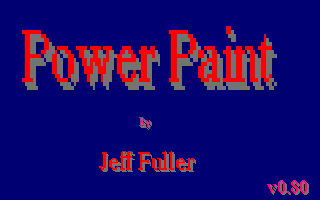 Power Paint version 0.80
about 75k
Power Paint version 0.80
about 75k
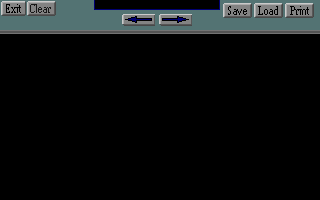



Here are my problems so far.

Things to do on this project:

1)  When save, or load is pressed a dialog box needs to open
    giving the ability to enter text for a file name.  The
    Warlock editor has something like this, but the text
    editing is done on the main screen, and not in the pop
    up window.

2)  All the code need to be switched to a double_buffer
    instead of just the video buffer. (although i am
    considering page flipping.)

3)  My current bug that I am working on is why the pictures
    that I drew in Adobe 4.0 like ViewFrame.pcx are not
    fitting like I thought they would.  For instance the
    medium selector window is 75 x 75 pixels in adobe, but
    the 24 x 24 sprites I try to load in seem to be smaller
    than I expected.

4)  Why aren't the sprites being drawn as they should be
    (they are white)?

5)  How in the heck can we implement the scrolling window
    to draw the selected tile? (i still have no idea!)

6)  How can we make the mini window look like it represents
    the map being drawn? (??????)

7)  What is the format that our data structure should be for
    these quests.  What is the format of the files we will
    create with it.

8)  a new and recent problem, loading sound/music with pcx
    files being loaded. I have an idea about this one. use
    a bat file.

    here is what i think i can do in the bat file.

    @echo off
    echo Welcome to some program.
    soundrv
    midpak
    IF ERRORLEVEL 1 GOTO END
    :END
    midpak u
    soundrv u
    pause

So have any ideas that you would like to share, espiecally
scrolling and tiles. Hey if you can give some hints, info
whatever that would be great! Thanks!

Right now i'm trying to understand  mode y(320x200x256). So
i can get into page flipping, then later i want to learn
mode z(320x400x256). so far i'm getting it. mode y that is.
I'm reading mode y tutor from jim the loiterer. This deals with REAL MODE only!
Mode Y has a "planar" memory configuration.

There are 4 planes in mode Y. they do not overlap.

plane 0 = pixel(0,whatever);
plane 1 = pixel(1,whatever);
plane 2 = pixel(2,whatever);
plane 3 = pixel(3,whatever);
plane 0 = pixel(4,whatever); it keeps looping this way.

That is how the "planar" memory is configured in mode y.

each plane is 16,000 bytes. NOT kilobytes(1024 bytes) but
bytes. when writing to one memory location it writes to all
4 planes in parallel.

example:
   when writing to plane 0 with pixel(0,?,color)
   it also rights to: (1,?,color) (2,?,color) and (3,?,color)

it talks about singling out a plane by using the VGA's
sequencer. thats another time.

aagh! got a big headache now! Reading this tutor, a bit
confusing.
| If you want to know more about HTML go ahead and visit the site. HTML helper's HomePage! |
| Here's my good buddy's web page. He has a cool game called "Slow Runnings" that he made. Its a 3D game like Doom. Check it out! Jim the Loiterer's first Web Page |
| Here is a really cool assembly langage page filled with links, and lots of info on x86 programming. They even have Ralf Brown's Interrupt List! Seen it, get it! MoonWare ASM links |
| Here is a cool page that has everything you need to start game programming. Most of it is in pascal. Tore's Programming Page! |

 This page is always under construction!